Threads

Mapping a 20-button gaming mouse for a Linux workflow

11 tweets · March 2020 · 15 likes · 0 retweets · read on Twitter

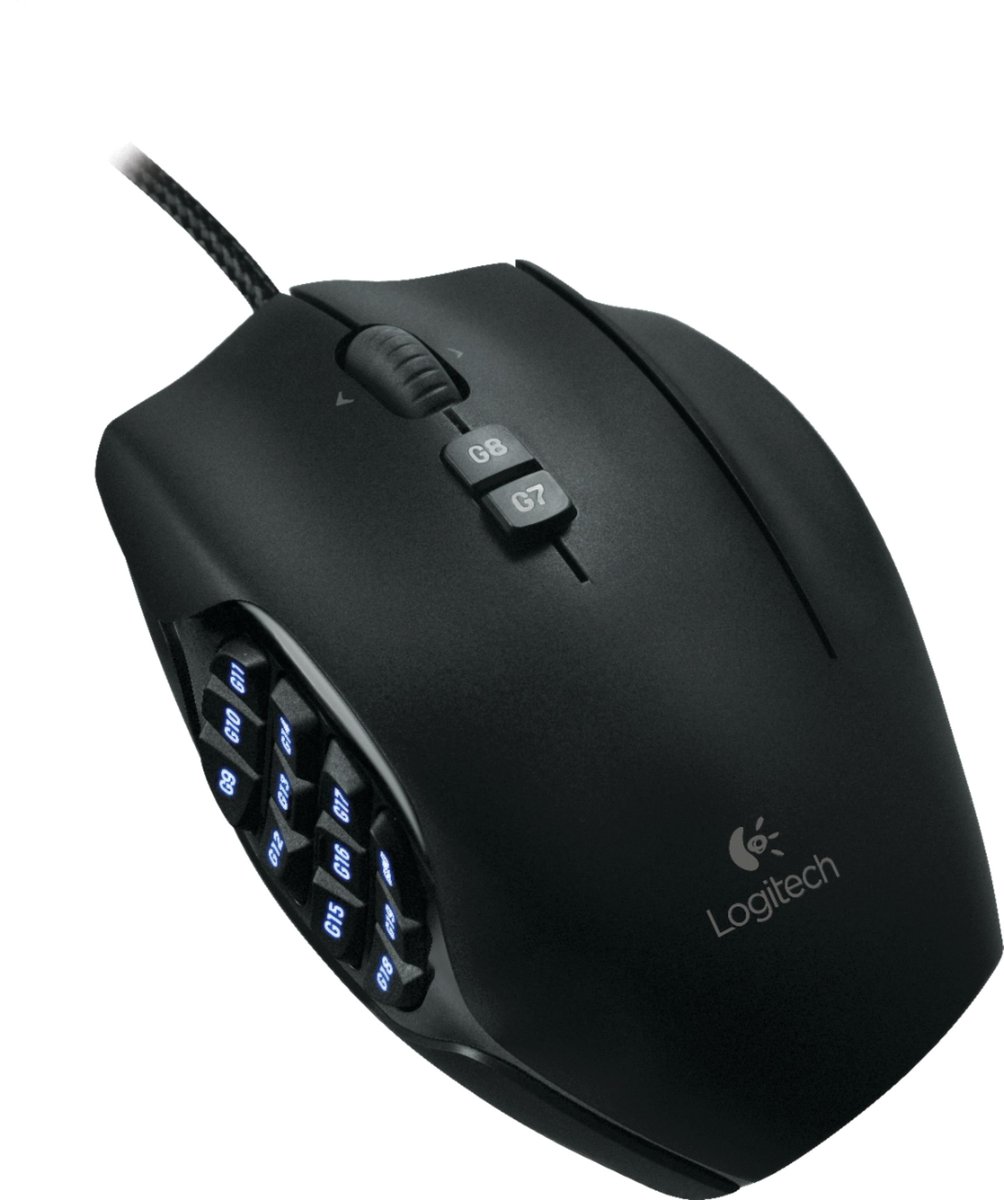
Working to get this sort of gaming-mouse extra-button workflow thing set up on Linux (Ubuntu) Currently using - Logitech G600 (20 btns!!) - libratbag for device deets - piper to map keys - compizconfig for mapping key-combos to commands Will post 🎉&🙃&🙄&😖&🤷‍♀️ in this thread.

Visakan Veerasamy @visakanv ·

One of the best things I've done for myself is get a gaming mouse and map the extra buttons to things I commonly use:

I loved Visa's idea of having a screenshot button, *especially* for select-area screenshot, since on linux that's usually a two-handed keyboard shortcut then you need the mouse again. Unfortch, piper doesn't seem to be able to convey the key combo... ctrl+shift get ignored here

However! That's just a temporary hurdle. I found that gnome-screenshot is the command, & specifically I want     gnome-screenshot -c -a (c=clipboard, a=area) So CompizConfig Settings Manager→Commands, and I can pipe that mouse btn at that cmd using random hotkey intermediary

Soliciting suggestions from @visakanv and others at this point for other things I might want to do with one mouse button—I have lots! 😆

I like the add-bookmark close-tab combo idea. I know I need a close-tab btn. But I don't think I want to use my browser bookmarks for this... would rather pipe these to @RoamResearch via API. Hmm... could imagine a browser ext that does this really elegantly, w title, date, etc

Also realizing I could add ↑→↓← to 4 of these btns, and then many of the window-management hotkeys I use could be done without my hand leaving the mouse. ctrl+super+💠 = position 🖼️ on monitors ctrl+alt+💠 = switch workspaces ctrl+alt+shift+💠 = move 🖼️ between workspaces

On reflection I think this is prolly not actually worth it, bc often I want to do a whole bunch of these in a row, and then having my fingers on the arrow keys is faster than bomping my thumb around. & my proprioception is already good enough to jump from mouse to hit those keys

WAIT! 😯 Turns out I already use my thumb for this! (Always gaps in "how you {think you} work") This is uniquely possible w my Kinesis Freestyle 2 keyboard. Not just the absence of numpad—the angledness allows me to easily reach all of these keys with my thumb from the mouse.

This then furthermore suggests that I could be getting more out of the Home/End/PageUp/PageDown keys that run vertically along the right edge of the keyboard. Hmmmmmmm

Update: having a screenshot button on my mouse is amazing 🤩 So much easier than remembering exactly which hotkey I want to use. Plus screenshotting a section of the screen is already a mouse gesture, so it just makes so much sense! Thanks so much @visakanv ❣️

My latest innovation is mapping the left & right scroll buttons (as in pushing the scroll wheel left or right) to: ctrl-shift-tab ⬅️➡️ ctrl-tab which let me navigate between tabs really easily! (usually in browser though it could work in other apps too) combine with ctrl-w ✖️