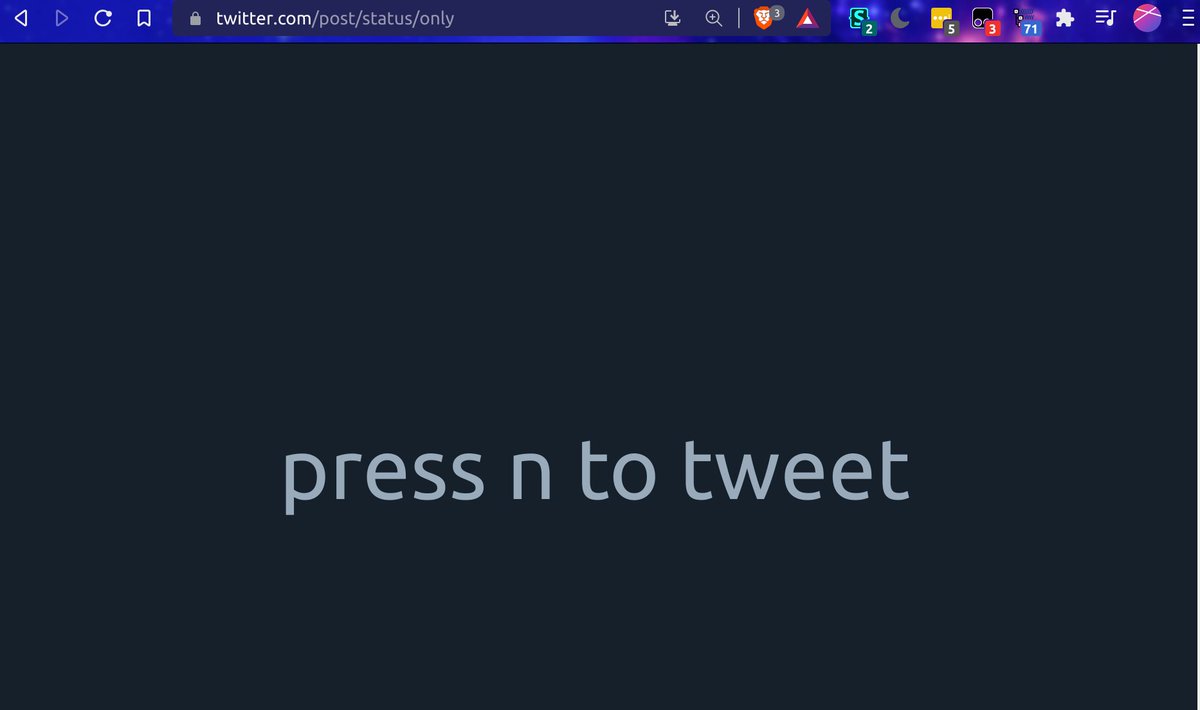
I have a magic page twitter.com/post/status/on…, which, when using this userstyle (via a browser extension like Stylus) creates this page where I can tweet without getting distracted by the timeline or notifications. gist.github.com/malcolmocean/3…
7 tweets · November 2021 · 7 likes · 0 retweets · read on Twitter
I have a magic page twitter.com/post/status/on…, which, when using this userstyle (via a browser extension like Stylus) creates this page where I can tweet without getting distracted by the timeline or notifications. gist.github.com/malcolmocean/3…
Worth noting that this userstyle also focuses permalinks, ie removes the left nav bar & "back" button from them, so you can open up a link to a tweet without getting distracted by notifications.
In order to really not get distracted by notifications, you might also want this userscript that removes the red dot from the tab icon, and the (19+) unread count from the title.
Also I don't log into twitter on my phone, but I have a tweetonly widget using IFTTT! So basically the same functionality there! Useful even if you do have the twitter app, so you can go straight to tweeting without needing to dodge the timeline.
great example of Gall's Law, also! before I had this minimalist page, I would just load a random page that would 404, then hit n to open the tweet composer, and use another style to hide everything behind the compose modal window
I realized I wasn't using this page enough because it was long to type. I thought of making a text-expandy thing for it but then instead... I now have a hotkey so that when I press super+t it automatically opens this page! ctrl+t for new tab super+t for new tweet

